Seller’s Ultimate Checklist to Prepare for a Successful Amazon ad Strategy

13 min read
News



TL;DR
Set clear goals before launching ads; decide if you’re after sales, awareness, profit, or inventory clearance, and align campaigns accordingly.
Use SMART goals (Specific, Measurable, Achievable, Relevant, Time-bound) to keep your Amazon PPC campaigns focused and trackable.
Know your target audience deeply, narrow your targeting, use Amazon tools like Search Query Performance, and let BidBison handle keyword research and suggestions.
Polish your product detail page first with strong images, optimized copy, and A+ Content; ads can’t fix a weak listing.
Track key ad performance metrics like ACoS, ROAS, CTR, TACoS, impressions, and clicks to make smarter, data-driven decisions.
Maintain brand consistency across ads, listings, and storefronts to build shopper trust and increase conversions.
Running ads on Amazon without a clear plan is one of the fastest ways to burn money. Amazon PPC can be a powerful growth engine, but only if you know how to manage it the right way. The truth is, PPC in Amazon isn’t just about turning on Sponsored Products or throwing bids at random keywords; it’s about building a strategy that aligns with your goals, your audience, and your listings.
That’s where smart Amazon PPC management makes all the difference. When sellers skip the prep work, ads usually drive clicks but not conversions. But when you take the time to set clear objectives, understand your buyers, polish your product detail pages, and track performance, every dollar spent works harder.
This checklist will walk you through the key steps sellers often overlook, helping you avoid wasted spend and build ad campaigns that actually deliver results.
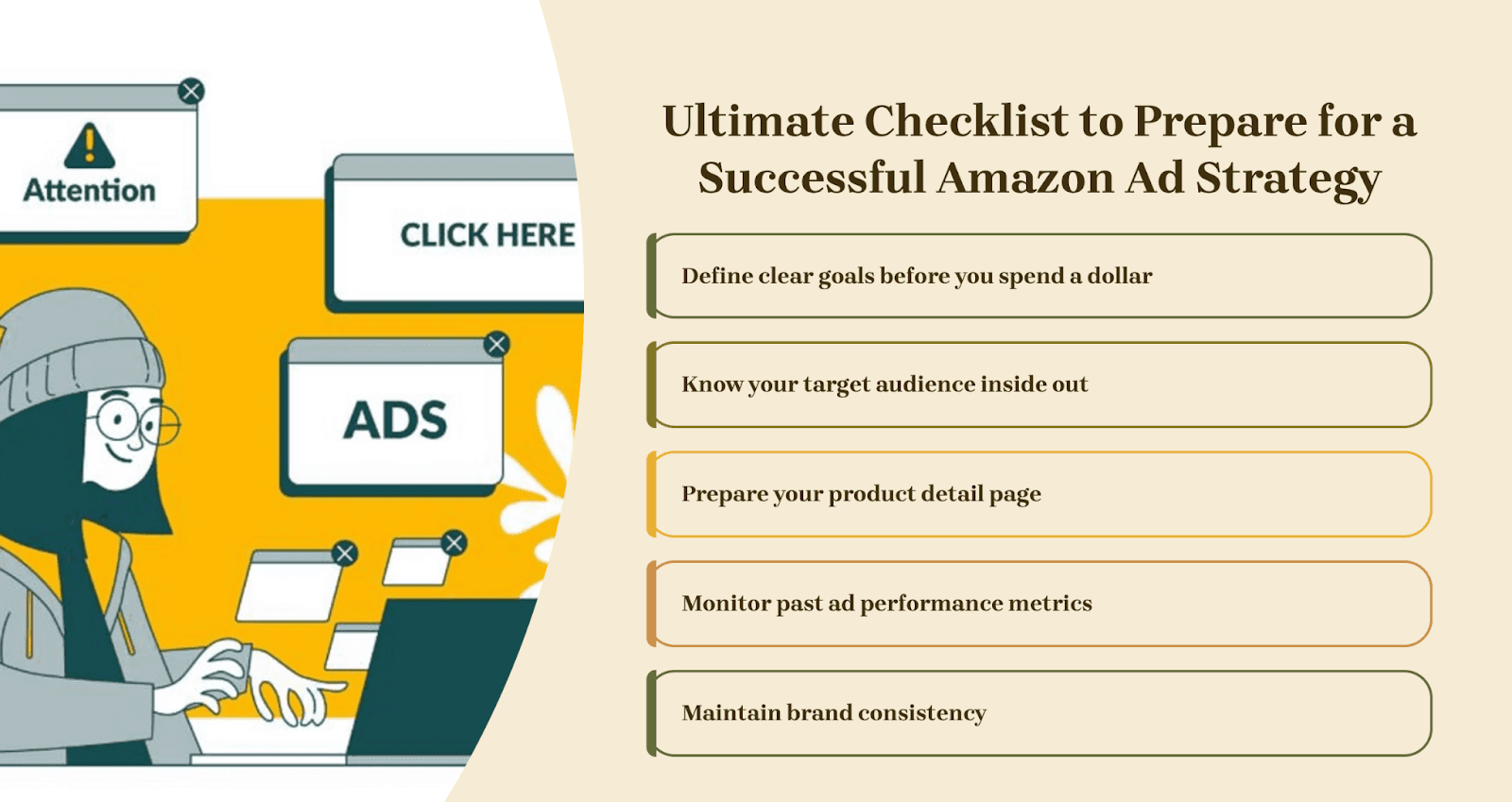
#1 Define clear goals before you spend a dollar
One of the biggest mistakes sellers make with Amazon ads is jumping in without a clear plan.
Ask yourself upfront: Do I want to push sales, boost profit margins, build brand awareness, or move slow inventory?
Each objective needs a different type of campaign. If your goals are unclear, your ads often end up scattered, money goes out, but the results don’t make sense.
This is where tools like BidBison can make life easier. It's an Amazon Sponsored Ads automation tool. With this, you can set rules for bids and budgets that actually follow your goals. That way, your campaigns stay on track without you constantly adjusting numbers by hand.
Once you’ve locked in your broader goals, take it a step further and set SMART goals for your PPC campaigns. These are goals that are Specific, Measurable, Achievable, Realistic, and Time-bound.
Here, you can find an example of how you can make SMART goals for your Amazon Sponsored product management.
SMART Goal Element | Example for PPC Campaign | Why it Matters |
Specific | Increase sales of ASIN B0XXXX by running Sponsored Products campaigns. | Clear focus on one product and ad type. |
Measurable | Achieve 200 additional orders in 30 days. | Lets you track progress with exact numbers. |
Achievable | Boost sales by 20% while keeping ACoS under 25%. | Sets a realistic target, not over-ambitious. |
Relevant | Focus on promoting a newly launched ASIN to build visibility. | Align ads with your business priority. |
Time-bound | Reach the goal within 60 days of campaign launch. | Creates urgency and a clear deadline. |
For example, instead of just saying “I want more sales,” you’d define it as “Increase sales of my new ASIN by 20% over the next 60 days at an ACoS below 25%.”
Working this way helps you stay focused, avoid wasted spend, and know exactly when your ads are moving in the right direction. In the long run, clearer goals mean better decisions and better ROI.
#2 Know your target audience inside out
Before you spend a dollar on ads, you need to be crystal clear on who you’re selling to. Casting a wide net with generic targeting often wastes money. For example, targeting “fitness” is way too broad. But narrowing it down to “resistance bands for beginners” ensures your ads reach shoppers who are more likely to buy.
This is where BidBison makes things easier. Not only can it analyze your search term data to show which keywords are actually converting, but it also handles keyword research for you, suggesting the best terms to bring in traffic while you stay focused on growing your business.
The better you understand your buyers, the better you can tailor campaigns to them. That’s why audience research is so important. Ask yourself:
Who’s buying my product?
What terms are they typing into Amazon?
And how can I speak directly to them?
One smart way to do this is through audience segmentation, grouping shoppers based on their interests, behaviors, or buying stage. Amazon gives you powerful tools to make this easier.
For instance, the Search Query Performance report inside Brand Analytics combines organic and paid data, showing you how shoppers search, what terms bring results, and where you might be missing out. When you know your audience and let BidBison fine-tune your keywords, your ads stop being guesswork and start driving real performance.
#3 Prepare your product detail page
What most sellers miss is that no matter how much you spend on ads, they won’t convert if your product detail page isn’t ready. You can drive thousands of clicks, but if your listing looks weak, shoppers will bounce.
Notice your own shopping habits. When you land on a page with blurry images, thin descriptions, or no A+ Content, do you hit “Buy Now”? Probably not. Your customers are the same. That’s why preparing your product detail page is step one before launching any campaign.
Start with the basics:
Strong images that show the product clearly from different angles and in use.
Optimized copy with clear, benefit-driven bullets and a keyword-rich title.
A+ Content to tell your brand story and answer questions shoppers didn’t even know they had.
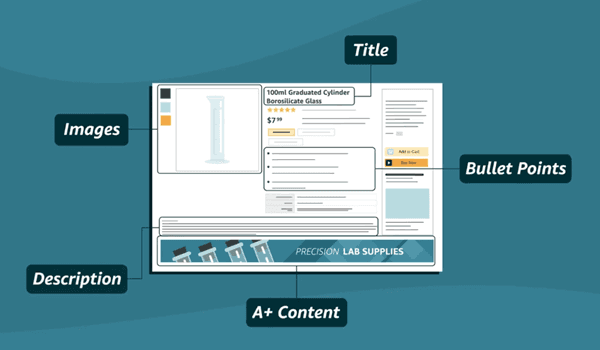
Example of the product detail page
Amazon ads can send traffic, but they can’t fix a poor listing. If shoppers don’t feel confident in your product, they won’t buy, no matter how good your targeting is.
So, treat your detail page as your best salesperson. Once it’s polished, every ad dollar you spend has a real chance of turning clicks into sales. Sellers who skip this step often end up blaming ads for low ROI, when in reality, it’s the listing that needs the work.
#4 Monitor past ad performance metrics
Running ads without tracking your numbers is like driving blind. To know if your campaigns are working, you need to regularly monitor key metrics such as ACoS (Advertising Cost of Sales), ROAS (Return on Ad Spend), CTR (Click-Through Rate), TACoS (Total Advertising Cost of Sales), impressions, and clicks.
These numbers tell you if your ads are actually relevant, cost-effective, and driving the results you want. For example, a healthy CTR means your ad is catching attention, while ACoS and ROAS show you whether those clicks are turning into profitable sales.
TACoS, on the other hand, gives you a bigger picture of how ads impact your total revenue, not just the sales directly tied to campaigns. Amazon makes it easier by providing detailed ad reports that consolidate all of this data in one place. By reviewing these reports, you can identify patterns, see what’s working, and spot weak areas that need fixing.
The goal isn’t just to collect numbers; it’s to use them for smarter decisions. Whether you’re launching new campaigns or fine-tuning existing ones, these insights help you adjust bids, budgets, and targeting with confidence. Sellers who track their historic performance consistently are the ones who scale faster and avoid wasting ad spend.
#5 Maintain brand consistency
One of the most overlooked parts of an ad strategy is brand consistency. Sellers often put a lot of effort into running ads, but forget that every touchpoint a shopper sees should feel connected. If your Sponsored Brand ad looks premium, but your product detail page feels rushed or mismatched, shoppers lose trust instantly.
Think of your ads, product listings, A+ Content, and Storefront as one story. The visuals, tone of voice, and messaging should all work together. When a shopper clicks your ad and lands on your detail page, it should feel like a natural continuation, not a completely different experience. That consistency builds recognition and credibility, which makes shoppers more confident in hitting “Buy Now.”
Here’s what to check:
Use the same tone of voice across bullets, titles, and ad copy.
Keep your visual style consistent—colors, fonts, and imagery should align in ads, A+ Content, and your Storefront.
Ensure your brand promise (eco-friendly, premium quality, affordable) shows up everywhere.
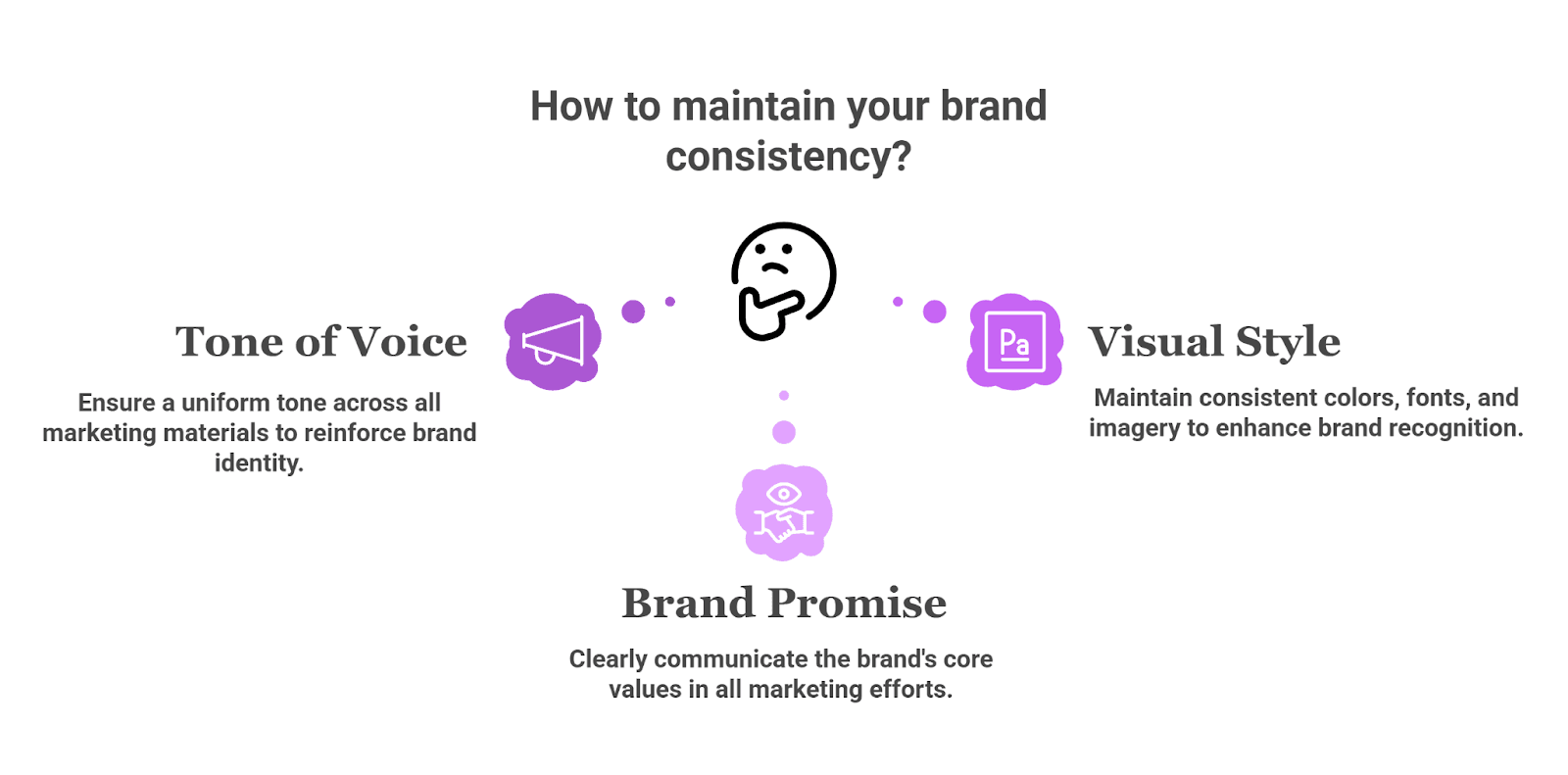
This shows how to maintain your brand consistency
Ads can grab attention, but brand consistency is what seals the deal. Sellers who get this right don’t just win clicks; they build trust that converts into repeat buyers.
Takeaways
Building a strong Amazon ad strategy isn’t about spending more; it’s about spending smarter. From setting clear goals to polishing your product pages and tracking the right metrics, every step plays a role in making Amazon pay per click advertising truly profitable.
When you combine preparation with smart tools like BidBison, you cut out the guesswork and let automation handle bids, budgets, and keyword optimization with ease. Sellers who take this approach see better ROI, stronger brand trust, and more consistent growth.
Ready to make your Amazon PPC management simpler and more effective? Try BidBison today and start scaling with confidence.

