How to Set Up Rule-Based Bidding Without Losing Control of Your Campaigns
Rule-based bidding lets you hand off the repetitive work while still calling the shots. Here's how to set it up so control never leaves your hands.
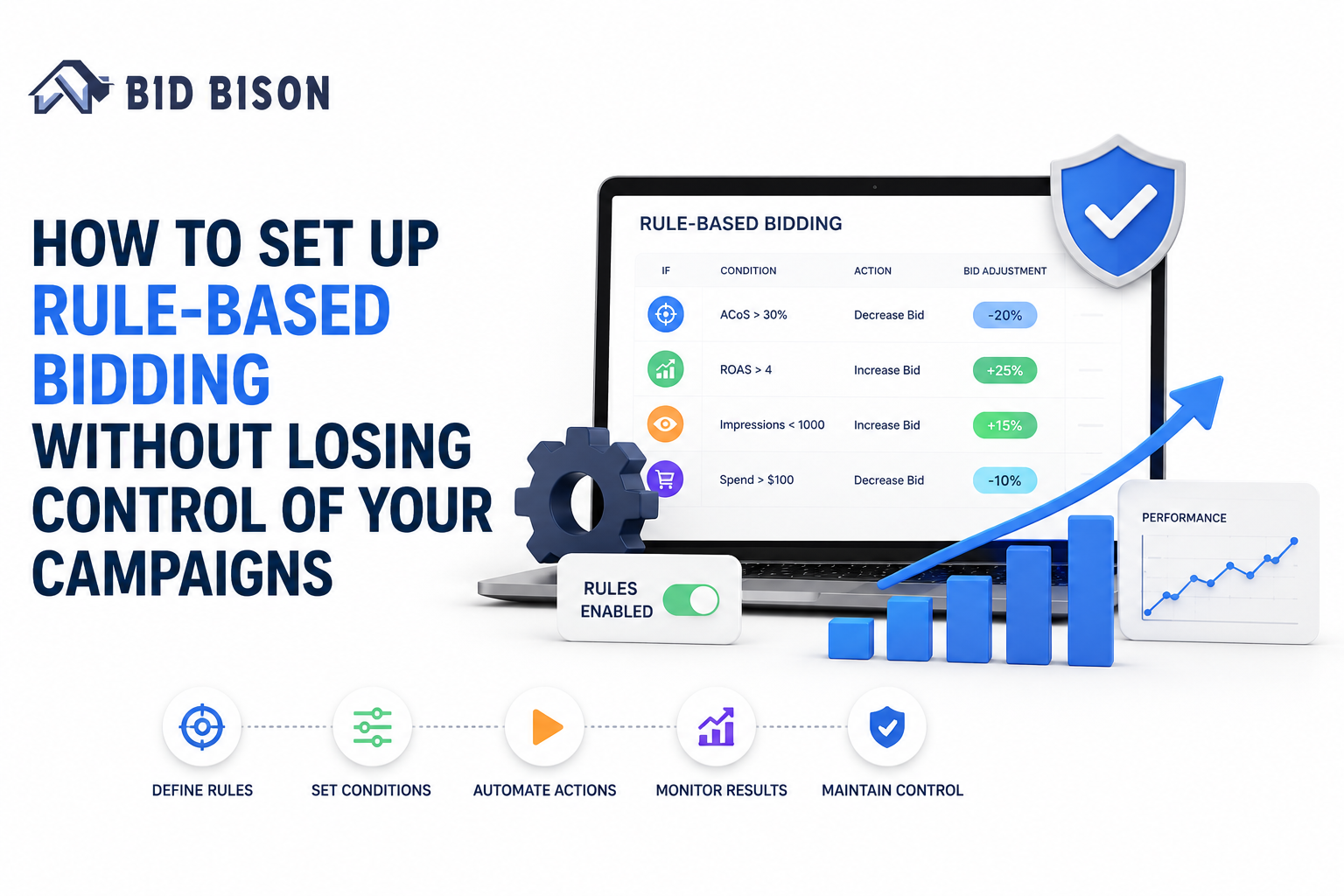
Every Amazon seller who's thought about automating their bids has had the same nagging thought: "What if I turn this on and something goes wrong while I'm not looking?"
That fear makes sense. Plenty of sellers have tried an automated tool, watched a bid jump overnight for no clear reason, and gone right back to doing everything by hand. Others never even try automation - they just keep adjusting bids manually, campaign by campaign, because at least they know what's going on.
Here's the part most people miss: you don't actually have to pick a side. Rule-based bidding lets you hand off the repetitive work while still calling the shots. When it's set up properly, it saves you hours every week and you never lose sight of what's happening in your account.
This guide breaks down what rule-based bidding really is, how it stacks up against manual bidding and full AI automation, and a clear process for setting it up so control never leaves your hands. Along the way, we'll show where a tool like BidBison - an Amazon PPC management tool built around this exact balance - fits in for sellers who've outgrown spreadsheets and gut-feel bidding.
What is rule-based bidding in Amazon PPC?
At its core, rule-based bidding means setting "if this happens, then do that" conditions for your campaigns, so bids adjust automatically once those conditions are met.
A few examples:
- If ACoS climbs above 30%, drop the bid by 10%
- If a keyword goes 14 days without a conversion, pause it
- If ROAS stays above target for a full week, raise the bid by 5%
Rather than opening Seller Central daily to make these changes yourself, the logic runs on its own - but only within the boundaries you already set. Nothing happens that you haven't already signed off on.
This is fundamentally different from manual bidding, where a person is behind every single adjustment. It's also not the same as fully automated AI bidding, where a system decides on its own and you're often left guessing why a bid changed. Rule-based bidding lives in between - automated, but still yours.
Why sellers hesitate to automate their bids
Before jumping into setup, it's worth sitting with the hesitation for a second, because it's usually earned.
Maybe an automation tool once wrecked your top campaign overnight. Maybe you've heard the Prime Day nightmare stories from other sellers whose bids spiraled out of control. Or maybe it's simpler than that - you just don't like not knowing what your account is doing while you sleep.
None of that is unreasonable. Automation without safeguards can genuinely cause damage. But the real problem usually isn't automation itself - it's automation with no limits, no way to see what's happening, and no easy path to jump in when something looks wrong.
That gap is exactly what rule-based bidding is designed to close.
Rule-based bidding vs manual bidding vs full AI automation
Laid out side by side, the differences become clear.
Manual bidding puts you in the driver's seat for every decision. Nothing changes without your say-so. The tradeoff is scale - if you're running dozens of campaigns across multiple ASINs, manual bidding turns into a full-time job, and tired eyes make mistakes.
Full AI automation sits at the other extreme. A system makes bidding decisions on its own, usually powered by models you can't peek inside of. It can move fast, but sellers often describe the experience as opaque - bids shift and you're not always sure what triggered it.
Rule-based bidding is the middle path, and for most sellers, it's where things click. You write the logic, the system runs it consistently around the clock, and nothing ever strays outside what you've defined. This is the practical meaning behind rule-based optimization - structured, accountable automation instead of a guessing game.
It's also where AI Amazon PPC software has been heading lately. The stronger tools now blend both approaches: rule-based structure to keep you in control, with AI-generated suggestions layered on top to help you sharpen those rules as you go.
How to set up rule-based bidding (step-by-step)
Here's a practical way to roll this out without overengineering it from day one.
Step 1 - Get clear on your goals first
Don't touch a single bid until you know what you're actually trying to hit. A target ACoS? A TACoS goal across the account? A minimum profit margin on each SKU?
This isn't a formality - rules built without a clear target end up reactive, chasing whatever metric looks off that week instead of moving toward something consistent. Write your numbers down before you write a single rule.
Step 2 - Group campaigns before you automate anything
One rule for your entire account is a mistake waiting to happen. Logic that works beautifully on a mature, branded campaign can quietly damage a new launch that's still collecting data.
Sort your campaigns into sensible groups first:
- Branded versus non-branded
- Proven bestsellers versus fresh launches
- High-margin products versus thin-margin ones
Each group likely needs different rule logic. Skipping this step - treating every campaign the same - is one of the fastest ways sellers get burned when they first try automation.
Step 3 - Keep your first adjustments small
When your first rules go live, don't reach for big swings. A 20-30% bid jump triggered by a single condition can do real harm, especially on campaigns with heavy spend.
Stick to modest changes - a 5-10% adjustment per trigger is usually plenty to see a real shift without risking overcorrection in either direction. You can always dial up the aggressiveness once you've watched the rules perform for a while.
Step 4 - Build in guardrails (minimum and maximum bids)
This is the step that actually keeps you in control. Every rule needs a floor it can't go below and a ceiling it can't cross.
Guardrails are what stand between rule-based bidding and the horror stories sellers trade with each other. Even if a rule misfires, or a strange traffic spike sets off an unexpected chain reaction, your bids stay locked inside a range you've already decided is safe. Nothing can get away from you.
If there's one takeaway to hold onto from this whole guide, it's this: never activate a rule without a min and max bid attached.
Step 5 - Watch closely before you scale up
Resist turning rules on across your whole account right away. Pick a handful of campaigns, let the rules run for a week or two, and compare what actually happened against what you expected.
Weekly check-ins are worth it early on. Once you've seen the rules behave the way you intended, expand automation gradually to more campaigns. This slow rollout is how real trust in the system gets built - instead of hoping for the best and finding out too late that something went sideways.
How to stay in control while automating (what most guides leave out)
A lot of articles stop at "set your rules and walk away." But staying in control isn't a one-time setup task - it's an ongoing habit. Here's what that looks like in practice.
- Real-time visibility. You should be able to check what's happening in your account at any given moment, not piece it together after the fact. A dashboard showing current bids, recent changes, and performance trends together makes automation feel transparent instead of hidden.
- A record of every rule change. When a bid moves, you should be able to trace exactly which rule caused it, when, and why. Without this trail, diagnosing an unexpected outcome turns into guesswork.
- The option to approve before changes go live. Some sellers want an extra checkpoint, especially early on or when testing a brand-new rule. Being able to review proposed changes before they apply adds a layer of comfort.
- Alerts for significant changes. You shouldn't need to log in constantly just to catch something important. A notification when a bid crosses a meaningful threshold lets you step in fast if something needs a closer look.
This is the exact structure BidBison is built around - rule-based automation paired with full transparency into every single change, so you're never left wondering what your campaigns did while you weren't watching.
Common mistakes sellers make with rule-based bidding
A handful of patterns show up over and over once sellers start automating:
- Layering too many rules at once. When five rules can all fire on the same campaign simultaneously, figuring out which one actually caused a result becomes nearly impossible.
- Automating before there's enough data. Rules need history to work from. Switching them on for a brand-new campaign with barely any performance data tends to produce erratic results.
- Forgetting search term reports once automation is running. Rules manage bids, not strategy. You still need to check search term reports regularly to catch new negatives or expansion opportunities.
- Leaving rules untouched across seasons. A rule tuned for a typical month may fall apart during Q4 or Prime Day, when competition and click costs shift fast. Revisit your rules ahead of any major sales period.
Dodging these mistakes is often what separates automation people actually stick with from automation they give up on after one rough week.
Signs you've outgrown manual rule-building and need a dedicated tool
Setting up rules by hand in Seller Central works fine when you're managing a small number of campaigns. But eventually, that setup stops scaling.
You've probably hit that point if:
- You're tracking rule logic across dozens of campaigns and it's getting hard to keep straight
- Different ASINs genuinely need different bidding logic, and spreadsheets can't keep up anymore
- You want automation's efficiency but refuse to trade away visibility into what's actually happening
This is precisely the gap a dedicated Amazon PPC management tool is meant to fill - automation at scale, without asking you to give up oversight to get it.
How BidBison helps you automate without giving up control
BidBison was built around one core idea: automation should support your judgment, not override it.
With BidBison, rule-based bidding works alongside AI-assisted suggestions, so you can lean on smart recommendations while still deciding what actually goes live. Every bid change is logged with an explanation attached, so you always know why something happened - not just that it did. You can set custom guardrails at the campaign or ASIN level, keeping your top performers tightly controlled while giving newer campaigns a bit more room to find their footing.
It's built for sellers who want to reclaim their time without stepping back from the strategy driving their account - automation you point in a direction, not one that runs off on its own.
Want to see it firsthand? Start your free trial with BidBison and get your first rule-based campaign running in minutes.
Final thoughts
Rule-based bidding was never about surrendering control of your Amazon account. It's about defining your strategy clearly enough that a system can carry it out consistently, freeing you up to focus on bigger decisions that actually need your attention.
Start small, set your guardrails, check in often, and scale automation as your confidence grows. That's the realistic path from manual bidding to a system working for you around the clock - without ever leaving you in the dark.
If you're ready to give it a try, BidBison delivers rule-based bidding with full transparency baked in from the start, so you get the time savings of automation without giving up the control you've worked hard to build.
Is rule-based bidding better than manual bidding?
Can I combine rules with AI bidding on Amazon?
How often should I review my bidding rules?
Does automation mean I lose visibility into my campaigns?
Automate your bids, on your terms.
Set your guardrails once, and let BidBison run the rules around the clock. 14-day free trial, credit card required.