ACOS vs TACOS: The Amazon Metric Most Sellers Are Optimizing Wrong
ACOS tells you how efficient a campaign was. TACOS tells you whether your business is actually growing. Here is how to use both without letting one quietly wreck the other.
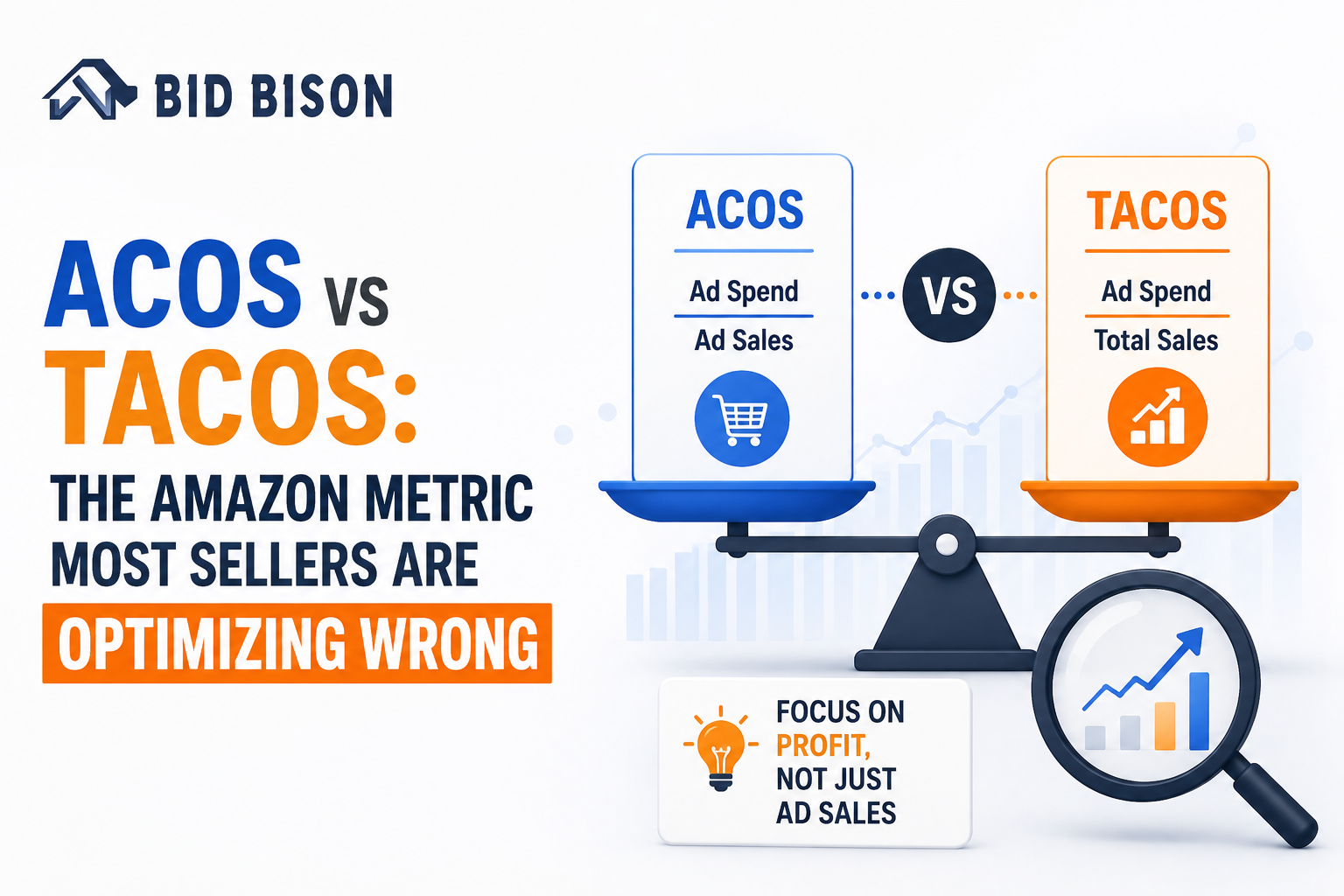
Sellers on Amazon tend to check their ACOS more often than they check their bank account. It's the number that shows up first in every PPC dashboard, gets reported to bosses and clients, and quietly becomes the metric everyone obsesses over. Lower ACOS feels like winning.
But here's the uncomfortable truth: a lot of sellers who've spent months driving their ACOS down are actually watching their business shrink. They cut bids on keywords that looked "inefficient," their ad-attributed sales dropped along with the spend, and their overall revenue growth stalled out - even though every campaign report looked cleaner than ever.
The problem isn't that ACOS is a bad metric. It's that it's an incomplete one. It tells you how efficient a single campaign was at generating ad sales, but it says nothing about what's happening to your business as a whole - including the organic sales that ads often help create in the first place.
That's where TACOS (Total Advertising Cost of Sales) comes in. It's a metric more Amazon advertising experts are pushing sellers to track alongside ACOS, because it answers a different, arguably more important question: how dependent is your total business on paid advertising?
This guide breaks down what ACOS and TACOS actually measure, why chasing ACOS alone can backfire, and how to use both metrics together to make smarter decisions - with real-world examples from how US sellers use Amazon Seller Central to manage the tradeoffs.
What is ACOS in Amazon advertising?
ACOS stands for Advertising Cost of Sales. It's calculated as:
Spend $200 on Sponsored Products ads and generate $1,000 in sales from those ads, and your ACOS comes out to 20%. Simple enough - and that simplicity is exactly why it's become the default metric for Amazon sellers. It's available at the campaign level, the ad group level, and even the keyword level inside Seller Central's Campaign Manager, so you can react to it daily.
The blind spot in ACOS
The issue is that ACOS only counts sales directly attributed to an ad click. It completely ignores:
- The halo effect - customers who saw your ad, didn't click it, but bought your product later after searching your brand name or browsing organically
- Overall account health - a campaign can have a "bad" ACOS on paper while still contributing meaningfully to organic rank, especially during a launch
- Long-term keyword value - a keyword with a 40% ACOS today might be the one building the search relevance that gets you a page-one organic ranking in three months
When sellers optimize for ACOS in isolation, they tend to cut spend on exactly the keywords that were doing this quiet, longer-term work. The campaign-level number improves. The business-level number doesn't.
What is TACOS, and why it's gaining traction
TACOS stands for Total Advertising Cost of Sales. Instead of comparing ad spend to ad sales, it compares ad spend to your total revenue - organic plus paid combined.
Spend $2,000 on ads in a month with total sales (organic and paid) of $20,000, and your TACOS comes out to 10%. That number tells you something ACOS never can: how much of your entire business is being propped up by advertising dollars.
TACOS as a growth health check
TACOS is less about daily bid decisions and more about tracking the trajectory of your brand over weeks and months.
- A declining TACOS over time usually means your organic sales are growing faster than your ad spend - a sign that your advertising is doing its real job, which is building demand that eventually sustains itself.
- A flat or rising TACOS suggests your business is becoming more reliant on ads to generate the same level of sales, which can be a warning sign heading into a slower season or a more competitive category.
This is why more Amazon advertising agency software platforms have started surfacing TACOS as a standard dashboard metric instead of an afterthought sellers have to calculate manually.
ACOS vs TACOS: side-by-side comparison
| ACOS | TACOS | |
|---|---|---|
| Formula | Ad Spend ÷ Ad Sales | Total Ad Spend ÷ Total Revenue |
| Data source | Advertising reports only | Advertising reports + Business Reports |
| What it reveals | Efficiency of a specific campaign or keyword | Overall ad dependency across the business |
| Best use case | Day-to-day bid and keyword decisions | Monthly/quarterly strategic planning |
| Reporting cadence | Daily to weekly | Weekly to monthly |
The simplest way to think about it: ACOS is a tactical metric. TACOS is a strategic one. You need the first to run campaigns well and the second to know if those campaigns are actually growing your business.
Why optimizing ACOS alone can hurt your Amazon business
Here's a scenario that plays out constantly in Seller Central accounts across the US.
A seller launches a new product and runs ads aggressively to get initial traction, accepting a higher ACOS - say 35% - because they know new listings need a push. After a few weeks, sales pick up and the seller starts trimming bids to bring that ACOS down toward a "healthier" 15%.
At first, this looks like a win. The campaign report shows improved efficiency. But a few weeks later, overall unit sales have quietly dropped. Why? The keywords that got cut were the ones feeding the product's organic ranking. Without that ad visibility, the listing slips off page one, organic sales fall, and the seller is now spending less on ads for a shrinking pie of total sales.
Ironically, TACOS in this scenario often gets worse, not better - because total revenue dropped faster than ad spend did. The seller "fixed" ACOS and quietly broke their business.
This pattern shows up most clearly around major US sales events. During Q4 - Black Friday, Cyber Monday, and the holiday shopping run-up - many sellers accept a temporarily elevated ACOS on purpose, knowing that the visibility and sales velocity built in November often pay off as stronger organic rank in December. Judging that strategy purely on ACOS would call it a failure. Judging it on TACOS tells the real story.
When to prioritize ACOS vs TACOS
Neither metric is "better." They just answer different questions, and knowing when to lean on each one is what separates reactive sellers from strategic ones.
Use ACOS when:
- You're evaluating the performance of a specific campaign, ad group, or keyword
- You're making day-to-day bid adjustments in Campaign Manager
- You're running a new product launch and need tight cost control while testing what converts
- You're comparing Sponsored Products vs Sponsored Brands performance on the same product
Use TACOS when:
- You're reporting overall ad efficiency to a boss, investor, or client
- You're evaluating whether your brand's organic growth is strengthening or stalling
- You're planning quarterly or annual advertising budgets
- You're deciding whether to scale spend into a new category or keep it flat
The healthiest Amazon accounts usually show a pattern of ACOS staying relatively stable or even elevated during growth pushes, while TACOS trends downward over the long run as organic sales pick up more of the load.
How to track ACOS and TACOS without the manual guesswork
Here's the catch: Amazon Seller Central doesn't hand you TACOS on a silver platter. ACOS is right there in Campaign Manager, but TACOS requires pulling total revenue from your Business Reports and manually combining it with ad spend data - usually in a spreadsheet, usually more than once a week if you're paying attention.
For sellers managing a handful of SKUs, that's tedious but doable. For sellers managing dozens or hundreds of listings across multiple categories, it becomes nearly impossible to do consistently by hand.
This is where the right tools make a real difference. When evaluating Amazon advertising agency software or looking for the best Amazon PPC software, look for platforms that:
- Automatically calculate TACOS alongside ACOS, without manual report-pulling
- Show keyword-level ACOS with organic sales trends layered in, not just ad-attributed sales
- Track both metrics historically so you can actually see whether TACOS is trending down over time, not just check a single snapshot
Where Amazon keyword automation fits in
Amazon keyword automation tools can adjust bids in real time based on rules - pause underperformers, raise bids on winners, shift budget toward what's converting. But automation that only watches ACOS will make the exact mistake described earlier: cutting keywords that look inefficient in isolation but are quietly supporting organic growth.
The best setups pair automated, rule-based bidding with human strategic oversight that keeps an eye on TACOS and the bigger picture - which is a big part of why sellers increasingly bring in Amazon advertising experts rather than trying to manage this balance alone.
US sellers: what this looks like in practice
For US-based sellers, this plays out inside the specific structure of Amazon.com's Seller Central - Sponsored Products, Sponsored Brands, and Sponsored Display campaigns reporting through Campaign Manager, with total revenue tracked separately in Business Reports.
Take a US supplement brand gearing up for Q4. In October, the team ramps ad spend aggressively to build visibility ahead of Black Friday and Cyber Monday, pushing ACOS up to 30-40% on purpose. It's an intentional cost of building demand ahead of the year's biggest shopping weeks.
By early December, organic rank has climbed enough that a growing share of sales comes in without ad clicks. ACOS on individual campaigns might still sit in a similar range, but TACOS steadily declines through the month - a clear signal that the brand is converting paid visibility into lasting organic pull, right when US holiday shopping traffic is at its peak.
This kind of pattern is increasingly common in competitive US categories like beauty, supplements, and home goods, where rising cost-per-click makes an ACOS-only budgeting approach fragile. Sellers who plan around TACOS tend to build more resilient advertising strategies because they're tracking the health of the whole business, not just the ad account.
Common mistakes sellers make with these metrics
- Treating ACOS like a universal profitability metric. ACOS doesn't account for product margin, so a "good" ACOS on a low-margin item can still be a losing proposition, while a "high" ACOS on a high-margin item might be perfectly profitable.
- Ignoring TACOS until it's already a problem. Many sellers only start calculating TACOS after noticing overall sales have slowed, instead of tracking it proactively month over month.
- Using one ACOS target across a product's entire lifecycle. A brand-new listing, a mature bestseller, and a product you're actively defending from competitors all warrant different ACOS expectations - a single blanket target rarely makes sense.
Final thoughts
ACOS isn't the wrong metric - it's just the wrong metric to optimize alone. It's excellent for managing individual campaigns, but it can't tell you whether your business is actually growing or quietly leaning harder on ad spend to stand still. TACOS fills that gap, giving you a clearer read on whether your advertising is building something lasting or just keeping the lights on.
The sellers who get the most out of Amazon PPC are the ones who watch both numbers together - using ACOS to fine-tune campaigns and TACOS to judge whether the business itself is heading in the right direction.
Pulling both metrics into one place can feel like more spreadsheet work than most sellers have time for, and that's exactly the gap BidBison is built to close. It automatically brings ACOS and TACOS together in a single dashboard, so you can see campaign-level efficiency and total business health at a glance - without digging through separate reports every week.
What's a good ACOS on Amazon?
What's a healthy TACOS for an Amazon seller?
Can TACOS replace ACOS entirely?
How do I calculate TACOS in Amazon Seller Central?
Does Amazon advertising software calculate TACOS automatically?
See ACOS and TACOS in one place.
BidBison pulls advertising and business report data together so both numbers sit side by side. 14-day free trial, credit card required.