Seller Central vs Ads Console vs Campaign Manager: Where Should You Manage Amazon Ads?
What each Amazon interface controls, how the workflows differ, and when PPC software should take over the daily work.
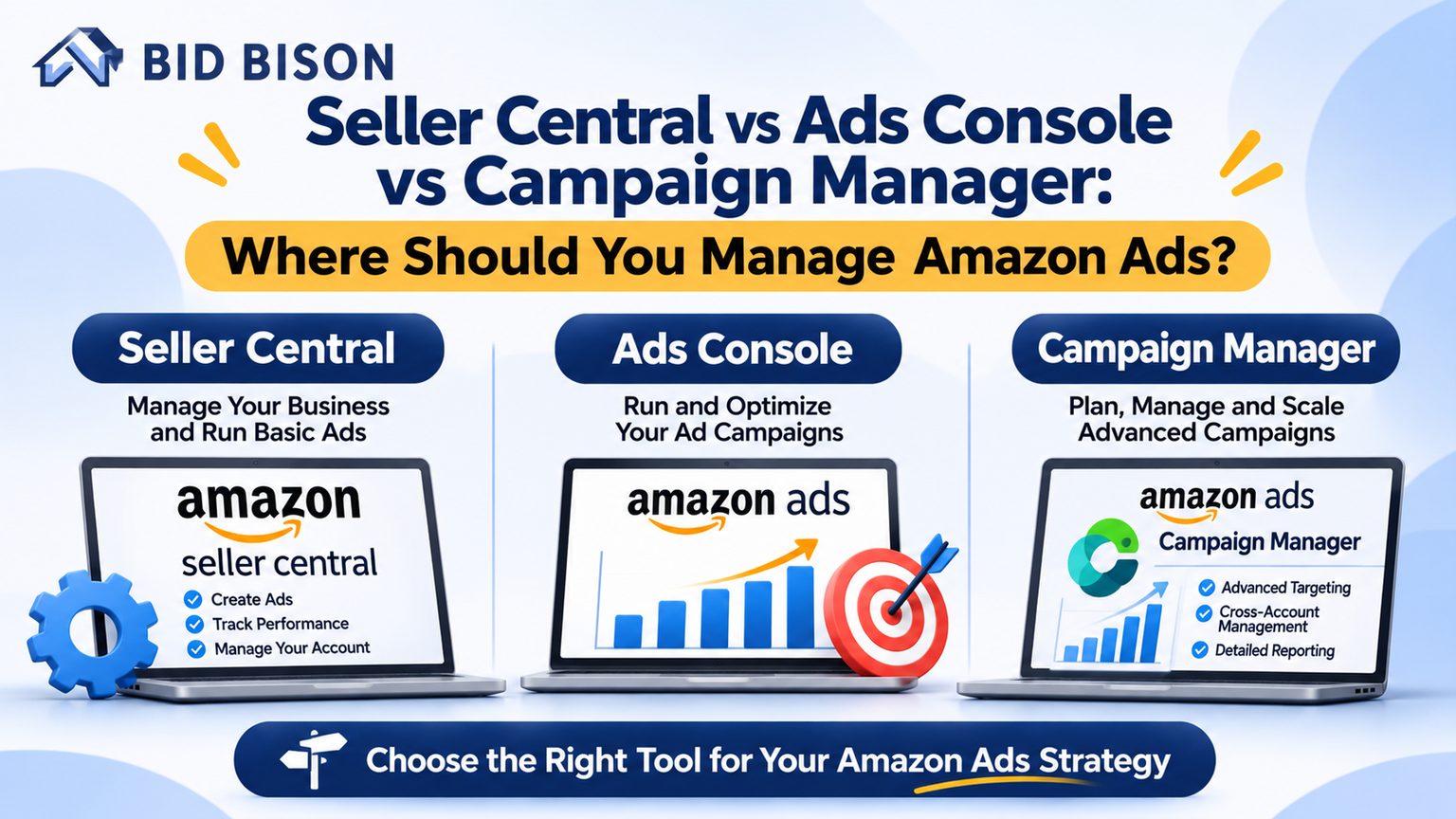
Quick answer: Amazon PPC software is a tool that connects to your Amazon Ads account through the Amazon Ads API and automates bids, budgets, keywords and reporting. Amazon Seller Central runs your account and listings. The Ads console and Campaign Manager run your campaigns. PPC software like BidBison works on top of them.
What Is Amazon Seller Central and What Does It Control?
Amazon Seller Central is the web portal where third-party sellers manage their Amazon business. It handles listings, inventory, orders, pricing, payments, Brand Registry tools and account health. It also links to advertising, but it is not an ad-management platform itself.
Think of Seller Central as your back office. You use it to:
- Create and edit product listings and A+ Content
- Manage FBA and FBM inventory and shipments
- Track orders, returns and settlement payments
- Monitor account health and policy notices
- Access Brand Analytics and Brand Registry tools, if you are enrolled
Vendors who sell to Amazon wholesale use Vendor Central, which has a similar role.
The Advertising tab inside Seller Central is a doorway. It leads to your campaigns but does not replace the dedicated ad tools.
What Is the Amazon Ads Console?
The Amazon Ads console is Amazon’s dedicated advertising dashboard, available at advertising.amazon.com. It lets advertisers create and manage Sponsored Products, Sponsored Brands and Sponsored Display campaigns, view performance reports and set budgets, bids and targeting.
You can log in to the Amazon Ads console with the same credentials you use for your seller or vendor account. Inside it you can:
- Build campaigns across all ad types
- Review spend, sales, ACoS and ROAS
- Download search term and targeting reports
- Upload bulk spreadsheets to edit many campaigns at once
- Access other Amazon Ads products, such as Amazon DSP, depending on eligibility
Agencies and brand owners often prefer the console because it gives a wider view than the Seller Central menu.
What Is Campaign Manager?
Campaign Manager is the campaign-management workspace inside Amazon Ads. It is where you create campaigns, set daily budgets, choose keywords and ASIN targets, adjust bids and review campaign-level metrics. Sellers typically open it from the Advertising menu in Seller Central.
Campaign Manager is not a separate product from the Ads console. It is the main working area of it. The entry point differs: you reach it either through Seller Central or by logging in directly at the Ads console.
Amazon updates menu names and layouts from time to time. The workflow stays the same: campaigns, ad groups, keywords, bids and reports.
What Is the Difference Between Seller Central and the Amazon Ads Console?
Seller Central manages your selling account: listings, inventory, orders and payments. The Amazon Ads console manages advertising: campaigns, bids, budgets, targeting and ad reports. Seller Central is the business hub. The Ads console is the dedicated advertising workspace.
Comparison Table: Purpose, Capabilities and Ideal Use Cases
| Interface | Primary Purpose | Key Capabilities | Ideal Use Case |
|---|---|---|---|
| Seller Central | Run your Amazon selling account | Listings, inventory, orders, payments, account health, Brand Registry tools, access to the Advertising menu | Daily store operations and quick ad checks |
| Amazon Ads Console | Full advertising management | All ad types, detailed reporting, bulk operations, billing and access to other Amazon Ads products | Brand owners, agencies and advanced advertisers |
| Campaign Manager | Build and edit campaigns | Campaign setup, budgets, bids, keywords, targets, campaign-level metrics | Hands-on weekly campaign optimization |
| PPC Automation Software (BidBison) | Optimize continuously at scale | Automated bids, budgets, keywords, dayparting and reporting around a target ACoS | Sellers and agencies managing many campaigns or SKUs |
How Do You Manage Amazon Ads in Each Platform?
You manage Amazon ads by choosing an entry point, building campaigns, setting budgets and bids, reviewing search term data weekly and adjusting. The steps are similar in each interface. What differs is the depth of reporting and the amount of manual work.
Workflow 1: Seller Central
- Log in to Seller Central.
- Open the Advertising menu and select Campaign Manager.
- Check campaign status, spend and sales at a glance.
- Pause or adjust budgets for underperforming campaigns.
- Return to listing and inventory tasks.
This workflow suits quick checks, not deep optimization.
Workflow 2: Amazon Ads Console and Campaign Manager
- Log in at advertising.amazon.com.
- Click Create campaign and choose Sponsored Products, Brands or Display.
- Set a daily budget, then add keywords or product targets.
- Set starting bids using suggested bid ranges.
- Add negative keywords to block irrelevant clicks.
- Check the search term report every week. Move winning terms into exact match.
- Lower bids on terms with high spend and no sales.
Workflow 3: PPC Automation with BidBison
- Connect your Amazon Ads account to BidBison.
- Set your target ACoS for each campaign or product.
- Let the software adjust bids and budgets on a schedule.
- Review automated keyword harvesting and negative keyword suggestions.
- Use dayparting to raise bids in high-converting hours and cut waste elsewhere.
- Read automated reports instead of building spreadsheets by hand.
Amazon’s Ads API is the official connection that makes this possible. It lets approved tools read and update campaign data.
Which Platform Should You Use to Manage Amazon Ads?
Use Seller Central for quick checks, the Ads console and Campaign Manager for hands-on campaign control, and PPC software once your catalog or spend makes manual optimization too slow. Most growing sellers use all three together.
- New sellers with a few products: Start in Campaign Manager through Seller Central. Learn how bids, keywords and search terms work first.
- Brand owners: Use the Ads console for its wider ad formats and reporting.
- Agencies and PPC professionals: Use the Ads console for account access and PPC software to manage many accounts consistently.
- Sellers with 50+ SKUs or high spend: Add Amazon PPC automation software. Manual bid changes cannot keep up with daily keyword shifts.
What Is Amazon PPC Software and How Does It Work?
Amazon PPC software is a tool that connects to your Amazon Ads account through the Amazon Ads API. It reads campaign data, applies rules or algorithms, and automatically adjusts bids, budgets and keywords to reach a target ACoS or profit goal.
PPC stands for pay-per-click. You pay only when a shopper clicks your ad.
A typical Amazon ads management platform does five jobs:
- Bid automation: Raises or lowers bids based on conversion data and your target ACoS.
- Budget control: Moves spend toward campaigns that perform and away from those that do not.
- Keyword management: Finds converting search terms and adds them as keywords. It also flags wasteful terms as negatives.
- Dayparting: Schedules bids by hour or day of week.
- Reporting: Combines ACoS, TACoS, ROAS and spend trends in one view.
How BidBison Fits In
BidBison Amazon PPC Software automates bids, budgets, keywords, dayparting and reporting around your target ACoS. It does not replace Seller Central or the Ads console. You still use Seller Central for operations and the Ads console for account access. BidBison handles the repetitive optimization work between them.
Amazon Ads Console vs PPC Software
| Task | Manual in Ads Console | With PPC Automation Software |
|---|---|---|
| Bid changes | Done by hand, often weekly | Applied on a schedule |
| Keyword harvesting | Search term report reviewed manually | Detected and suggested automatically |
| Dayparting | Limited manual scheduling | Hour-based bid rules |
| Reporting | Download and build spreadsheets | Dashboards and automated reports |
| Time required | Many hours per week at scale | Mostly review and strategy |
Mini Case Example: Manual vs Automated Management
Manual management works until the number of keywords outgrows your time. This illustrative example shows how the gap appears in practice.
Illustrative scenario, not client data: A seller runs 40 products with 12 Sponsored Products campaigns. Each campaign has about 150 keywords, so there are roughly 1,800 bids to review. The seller updates bids every Sunday.
During the week, two keywords spend heavily with no sales, and one low-bid keyword starts converting well. The seller finds all three the following Sunday. With automation set to a target ACoS, bid changes would follow the data daily instead of weekly.
The lesson: frequency matters more than effort. Amazon auctions change by the hour.
Pro Tips and Common Mistakes to Avoid
Pro Tips
- Calculate your break-even ACoS first. It equals your profit margin before ad spend. Set your target ACoS below it.
- Separate discovery and performance campaigns. Use broad or auto campaigns to find terms and exact match to scale proven ones.
- Review the search term report weekly. It is the most useful report for finding new keywords and negatives.
- Judge ads on TACoS as well as ACoS. TACoS compares ad spend to total sales, so it shows whether ads support overall growth.
Common Mistakes to Avoid
- Managing ads only from the Seller Central summary view and missing detailed reports
- Setting one target ACoS for every product, regardless of margin
- Adding no negative keywords, which lets irrelevant clicks drain budget
- Changing bids daily without enough click data to judge results
- Running automation with no clear target ACoS or budget limits
- Ignoring launch-phase products that need a higher ACoS to gain traction
Related reading: Amazon PPC bidding strategies and how to lower ACoS.
Frequently asked questions
What is the difference between Seller Central and the Amazon Ads console?
Can I run Amazon ads from Seller Central?
Is Campaign Manager the same as the Amazon Ads console?
What is Amazon PPC software and how does it work?
Do I need Amazon PPC automation software if I use Campaign Manager?
Is Amazon PPC management software safe to connect?
Conclusion
Amazon Seller Central runs your business, and the Ads console with Campaign Manager runs your campaigns. Once manual optimization stops keeping up, PPC automation closes the gap. Choose the interface that matches your catalog size and spend, and set a clear target ACoS.
Next step: See how BidBison Amazon PPC Software automates bids, budgets, keywords and dayparting around your target ACoS.
Put this into practice automatically.
BidBison runs the strategy for you. 14-day free trial, credit card required.