How Does Amazon PPC Automation Software Work?
The six-step cycle behind automated bids, budgets and keywords, and how to set it up without losing control of your account.
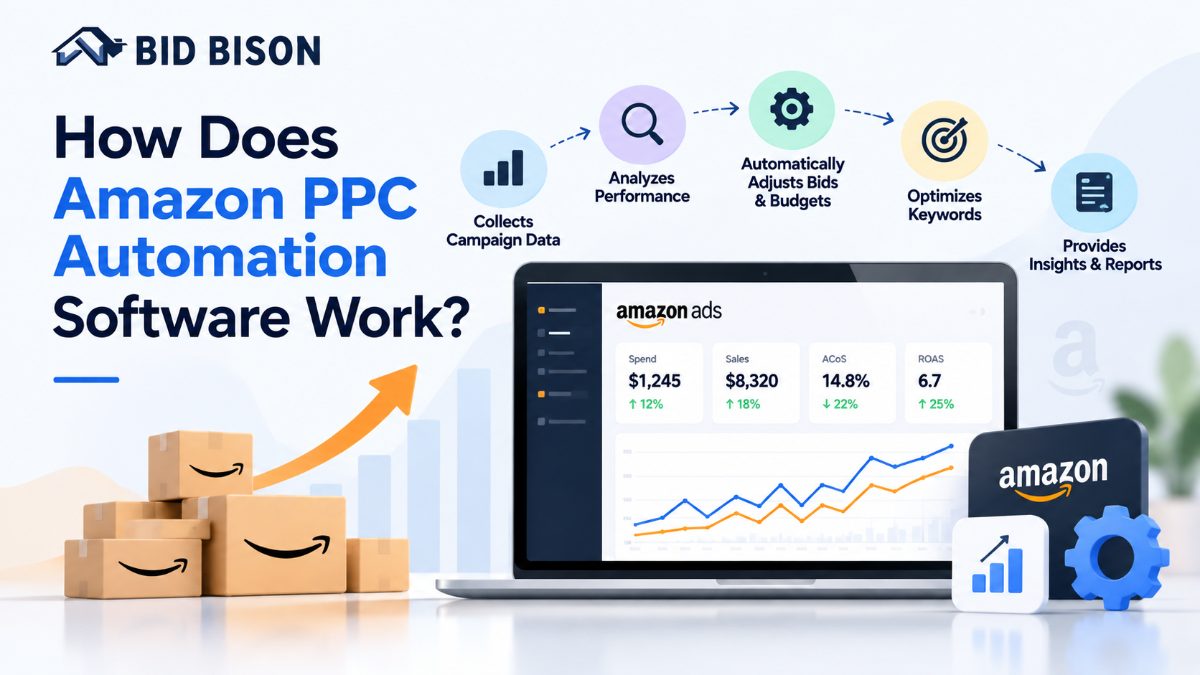
Amazon PPC automation software connects to your Amazon Ads account, reads campaign data, and automatically adjusts bids, budgets, keywords and schedules to hit a target ACoS. It replaces repetitive manual edits with scheduled, data-driven changes, while you keep control through goals, limits and a change log.
What Is Amazon PPC Automation Software?
Amazon PPC automation software is a tool that manages your Amazon advertising campaigns using rules or algorithms. It adjusts bids, budgets and keywords automatically, so campaigns stay close to a target ACoS without constant manual edits.
ACoS (Advertising Cost of Sale) is ad spend divided by ad-attributed sales. A lower ACoS means you spend less on ads for each dollar of sales. You can calculate yours with the free ACoS calculator.
Sellers also call these tools an Amazon PPC management tool, an Amazon ads management platform or an Amazon PPC specialist tool. Agencies use them to manage many accounts without adding headcount at the same rate.
Manual management breaks down at scale. A catalog with hundreds of keywords across several campaign types creates more bid decisions than one person can review daily. The real cost of manual Amazon PPC management covers this in more detail.
How Does Amazon PPC Automation Software Work Step by Step?
The software connects to Amazon Ads, pulls performance data, compares it to your target ACoS, and pushes updated bids, budgets and keywords back to your campaigns. This cycle repeats on a schedule, usually daily or more often.
The 6-Step Automation Cycle
- Connect your account. You authorize the tool through Amazon's Advertising API. You never share your Amazon password, and you can revoke access anytime.
- Import campaign data. The software pulls impressions, clicks, spend, orders and sales at campaign, ad group, keyword and search-term level.
- Set your goal. You choose a target, typically a target ACoS, along with limits such as maximum bid and daily budget.
- Analyze performance. The engine compares each keyword and target against your goal, and waits for enough clicks and orders before reacting.
- Apply changes. It raises bids on profitable keywords, lowers bids on wasteful ones, adds negative keywords and shifts budget toward winners.
- Report and repeat. Changes are logged, and the cycle restarts with fresh data.
Amazon attributes sales up to 14 days after a click, so recent data is incomplete. Good software avoids heavy changes on thin or immature data. See how BidBison works for a walkthrough of this cycle.
How Can I Automate Amazon PPC Bidding?
To automate Amazon PPC bidding, connect your Amazon Ads account to automation software, set a target ACoS, define bid limits, and let the software adjust keyword and target bids on a schedule. You then review changes and exceptions instead of editing bids by hand.
How to Set Up Automated Bidding
- Choose a bidding goal. Pick a target ACoS per product based on your profit margin. Start with the good ACoS guide if you are unsure.
- Pick a strategy by product stage. A new launch, a steady seller and aging stock need different goals.
- Set guardrails. Define minimum bids, maximum bids and daily budgets so the software cannot overspend.
- Group similar products. Campaigns with mixed margins confuse any algorithm.
- Start with a test group. Run automation on a few campaigns for 2 to 3 weeks before expanding.
- Review the change log. Check what moved, why it moved, and whether ACoS and sales trended the right way.
Amazon's Built-In Bidding vs Third-Party Automation
Amazon offers dynamic bidding strategies inside Sponsored Products. These adjust bids in real time, per auction. Third-party software works at a different layer by setting base bids, managing keywords, and controlling budgets and schedules.
The two work together. Dynamic bidding reacts to each auction, while automation software sets the strategy behind it. For a deeper look, read machine learning bidding and Amazon algorithm changes.
What Can Amazon PPC Automation Software Automate?
Most tools automate five areas: bids, budgets, keywords, dayparting and reporting. Together they cover the daily work of running Sponsored Products, Sponsored Brands and Sponsored Display campaigns.
- Bids: Raises or lowers bids to hold a target ACoS.
- Budgets: Moves spend toward campaigns that convert and away from those that stall.
- Keywords: Finds converting search terms and adds them as exact or phrase match. This is often called Amazon keyword automation.
- Negative keywords: Blocks search terms that spend without converting. Here is a full negative keywords guide.
- Dayparting: Lowers bids overnight and raises them at peak hours. Learn more in the dayparting guide.
- Reporting: Builds recurring reports so you do not merge spreadsheets by hand.
Example: Keyword Harvesting
Auto campaigns surface real shopper search terms. Say a search term gets 12 clicks and 3 orders at a profitable ACoS. The software moves it into a manual exact-match campaign with its own bid, and adds it as a negative in the auto campaign to avoid overlap.
Doing this manually for hundreds of terms takes hours every week. Search term harvesting automates it in bulk.
Rule-Based vs AI Amazon PPC Software: Which Is Better?
Neither is better in every case. Rule-based tools follow fixed if-then conditions you control. AI Amazon PPC software uses models to predict results and adjust more flexibly. Many platforms combine both, with rules acting as guardrails.
| Factor | Rule-Based Automation | AI-Driven Automation |
|---|---|---|
| How it decides | Fixed if-then rules you write | Models that learn from data patterns |
| Control | High, every action is predictable | Medium, depends on settings and limits |
| Setup effort | Higher, you build the rules | Lower, you set goals and limits |
| Best for | Sellers who want precise control | Large catalogs with a lot of data |
| Main risk | Rules go stale as the market changes | Harder to explain individual changes |
A practical approach is to let goal-based automation handle bid decisions and use rules for hard limits. One example is adding a search term as a negative after 50 clicks and zero orders in 14 days.
Read the full breakdown in AI vs rule-based Amazon PPC software and the rule-based bidding setup guide. If you want to know whether AI can outperform a person, see can AI manage Amazon ads better than a human.
What Does Automation Look Like in a Real Account?
In a typical account, automation lowers bids on keywords that spend without converting and raises bids on keywords that beat the target ACoS. Spend shifts toward profitable terms over several weeks.
Illustrative example (hypothetical numbers): A seller runs 40 campaigns with a target ACoS of 25%.
- Keyword A: ACoS 14%, steady orders. The software raises the bid to win more impressions.
- Keyword B: ACoS 60%, 30 clicks, no recent orders. The software cuts the bid.
- Search term C: 4 orders in 10 days. The software adds it as an exact-match keyword.
- Keyword D: 50 clicks, zero orders. The software adds it as a negative.
Without automation, someone reviews these decisions weekly at best. With automation, they happen as data arrives.
Which Features Should an Amazon PPC Management Tool Have?
Look for target ACoS bidding, keyword harvesting and negation, budget control, dayparting, clear change logs and reporting. Also check that the tool uses Amazon's official API and lets you set limits on every automated action.
Use this checklist when comparing an Amazon PPC management tool or full Amazon ads management platform:
- Bid automation tied to a target ACoS
- Search term harvesting and automatic negatives
- Budget control across campaigns
- Dayparting by hour and day
- Support for Sponsored Products, Brands, Display and TV
- Transparent change history
- Custom guardrails (min and max bids, budget caps)
- Alerts for Buy Box loss, stockouts and rejected campaigns
- Multi-account support for agencies
- Exportable reports
Ask the vendor how often the tool updates bids and how it handles low-data keywords. Vague answers are a warning sign.
To compare vendors side by side, see the Amazon PPC software comparison for 2026 and the BidBison compare hub.
How Does BidBison Automate Amazon PPC?
BidBison is Amazon PPC automation software that automates bids, budgets, keywords, dayparting and reporting around your target ACoS. You pick an outcome, set your target, and BidBison's strategy engine handles the repetitive adjustments.
BidBison is goal-based, so you do not need to build rules to start. You choose a strategy that matches your product stage:
- Get found fast: For new products chasing impressions and rank.
- Maintain ACoS: Holds bids inside your target band for steady products.
- Scale winners: Adds budget to keywords that already convert.
- Reduce ACoS: Protects margin by cutting waste.
- Clear stock: Moves aging inventory without selling below your break-even floor.
Other features include:
- Rule Book: Optional custom bid, budget and search-term rules, no code required.
- Dayparting: Lower bids overnight, higher bids at peak hours.
- Search term harvesting: Promote winners and block waste in bulk.
- Proactive alerts: 13 alert types, including Buy Box lost and out-of-stock products still spending.
- Reporting: Spend, sales, ACoS and RoAS by campaign, match type, placement and product.
BidBison works inside your existing campaign structure. Every change is logged, and manual bids you set are never overwritten. It covers Sponsored Products, Brands, Display and TV across every Amazon marketplace.
Self-serve plans run $49 to $179 per month, with a 14-day free trial that includes every feature. See pricing for details. If you would rather not run it yourself, the Done for You service pairs a dedicated PPC specialist with the platform.
Pro Tips and Common Mistakes to Avoid
The most common mistake is setting a target ACoS that ignores profit margin. Automation pushes campaigns toward the number you give it, so a wrong target produces wrong results faster.
Pro Tips
- Calculate break-even ACoS from your margin before setting any target.
- Use different targets for launch, mature and clearance products. The new product launch framework shows how.
- Track ACoS and TACoS together to see the full effect on your business.
- Check the change log weekly during the first month.
- Protect your brand terms with a branded keyword defense plan.
Common Mistakes
- Mixing products in one campaign. Different margins need different targets.
- Changing targets too often. Frequent changes stop the algorithm from stabilizing.
- Judging results too early. Allow 2 to 3 weeks of data. Reading results sooner counts full spend against incomplete sales.
- Ignoring listing quality. Poor images, price or reviews hurt conversion. No bid fixes that.
- Setting no guardrails. Always cap bids and daily budgets.
If you want to cut wasted spend first, run the PPC waste audit and read how to reduce ACoS without losing sales.
Conclusion
Amazon PPC automation software works by reading your campaign data, comparing it to your target ACoS, and updating bids, budgets and keywords on a repeating schedule. It removes repetitive work and keeps focus on what converts.
Ready to see it on your own campaigns? Start your 14-day free trial of BidBison, set your target ACoS, and let it handle bids, budgets, keywords, dayparting and reporting. Prefer a hands-off route? Talk to our team.
Frequently asked questions
How can I automate Amazon PPC bidding?
What is Amazon PPC automation software?
Is Amazon PPC automation worth it?
Can automation replace a PPC specialist?
What is the difference between rule-based and AI Amazon PPC software?
See the automation cycle on your own campaigns.
Set a target ACoS and let BidBison handle the daily edits. 14-day free trial, credit card required.