What Should an Amazon PPC Management Tool Include?
The checklist for bids, keywords, budgets, dayparting and reporting, and how to test a tool against your own baseline before you commit.
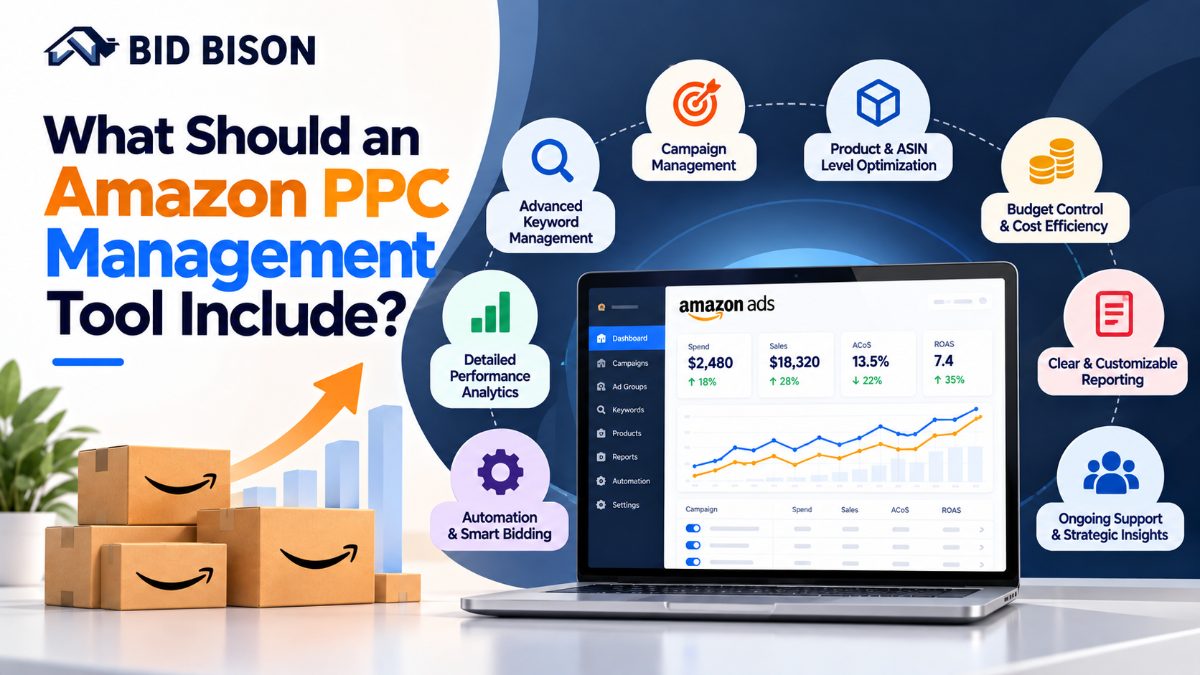
An Amazon PPC management tool is software that manages your Amazon ads through automated bidding, keyword harvesting, budget control, dayparting and reporting, all tied to a target ACoS. A good tool replaces daily manual edits with data-driven actions, so sellers and agencies can scale campaigns without losing profit.
What is an Amazon PPC management tool?
An Amazon PPC management tool connects to your Amazon Ads account through the Amazon Ads API. It reads campaign data, applies rules or algorithms, and changes bids, budgets and keywords for you.
It sits between you and the Amazon Ads console. You set goals, such as a target ACoS (Advertising Cost of Sale, which is ad spend divided by ad-attributed sales). The tool then works toward that goal across your campaigns. You can check your own number with the ACoS calculator.
Tools in this category go by several names:
- Amazon PPC automation software
- Amazon ads management platform
- Amazon PPC specialist tool
- Amazon advertising agency software
They share one purpose: reduce manual work while protecting profit margin. For a deeper look at the category, read the Amazon PPC automation software guide.
What features should an Amazon PPC management tool include?
A strong tool should include bid automation, keyword automation, budget management, dayparting, ACoS-based goal setting, reporting and multi-account support. Each feature should act on your data and your target ACoS. Fixed, one-size-fits-all rules are a warning sign.
1. Automated bid management
The tool should raise bids on keywords and targets that convert under your target ACoS. It should lower bids on those that spend without sales.
Look for bid changes based on recent performance, not only static rules. Bid control by campaign type (Sponsored Products, Sponsored Brands, Sponsored Display) is also useful. Learn more about target ACoS automation.
2. Amazon keyword automation
Keyword automation finds search terms that convert and moves them into manual campaigns. It also adds poor performers as negative keywords.
The tool should handle match types (broad, phrase, exact) and let you control how aggressively it harvests. See how search term harvesting works in practice.
3. Budget management
Budgets should move to campaigns that perform and away from those that do not. The tool should also flag campaigns that run out of budget early in the day. Our budget guide for Sponsored Products, Brands and Display explains how to split spend.
4. Dayparting
Dayparting means changing bids or budgets by hour or day of the week. If your orders cluster in certain hours, you can spend more then and less when conversion is low. Read more on dayparting and hourly bidding for Amazon ads.
5. Target ACoS control
The tool should let you set ACoS targets per account, campaign or product group. Launch products and mature products need different targets. Not sure what number to aim for? See what a good ACoS is for Amazon PPC.
6. Reporting and alerts
Reports should show spend, sales, ACoS, ROAS and TACoS (total advertising cost of sale against all sales, not only ad sales). Agencies also need reports they can share with clients.
Alerts matter too. A good tool warns you about budget spikes, ACoS jumps and stalled campaigns. See Amazon PPC alerts. To understand the metrics, read ACoS vs TACoS.
7. Multi-account and team support
Agencies and PPC specialists manage many seller accounts and marketplaces. The tool should offer one view across accounts, role-based access and consistent settings.
8. Transparency and control
Automation should show what it changed and why. You should be able to override, pause or adjust any rule.
Amazon PPC automation software vs manual management
Manual management gives full control but cannot keep up with hundreds of keywords across many campaigns. Automation reviews every keyword continuously and applies the same logic each time. The best setup uses automation for routine work and humans for strategy.
| Task | Manual management | Amazon PPC automation software |
|---|---|---|
| Bid changes | Reviewed weekly or when time allows | Adjusted continuously against target ACoS |
| Keyword harvesting | Search term reports reviewed by hand | Converting terms moved automatically |
| Negative keywords | Found after wasted spend | Added based on set criteria |
| Dayparting | Rarely done, hard to schedule | Scheduled by hour and day |
| Reporting | Spreadsheets built each period | Dashboards and scheduled reports |
| Scaling to more accounts | Needs more people | Needs more settings, not more hours |
See the real cost of manual Amazon PPC management for a breakdown of hours and wasted spend.
Rule-based vs AI-driven automation
Rule-based tools follow "if X, then Y" logic that you write. AI-driven tools learn from performance data and adjust on their own. Many teams use both. Compare them in AI vs rule-based Amazon PPC software, or learn how to set up rule-based bidding.
Where humans still matter
Software does not choose your product strategy, pricing or creative. A PPC specialist still decides target ACoS by product, launch plans and when to accept higher ACoS for ranking. For a launch plan, use the Amazon PPC new product launch framework.
How does Amazon keyword automation work?
Amazon keyword automation reads search term data, finds terms that meet your conversion criteria, and adds them as targeted keywords. It also blocks terms that spend without converting. The result is a steady cycle of discovery and cleanup.
Step-by-step process
- Run discovery campaigns. Auto campaigns and broad-match campaigns collect real customer search terms.
- Pull search term data. The tool reads search term performance from your account.
- Apply your thresholds. For example, a term with enough clicks and orders at or below target ACoS qualifies.
- Promote winners. Qualifying terms move into exact or phrase campaigns with starting bids.
- Negate losers. Terms with high spend and no sales become negative keywords.
- Repeat on a schedule. The cycle runs continuously, so new opportunities and leaks are caught early.
For the full process, read Amazon keyword automation and the negative keywords guide for Amazon PPC.
Example scenario (illustrative)
A seller runs an auto campaign for a kitchen product. The search term report shows "stainless steel food container" producing orders below target ACoS. The tool adds it to an exact-match campaign. The same report shows a term for an unrelated product category with clicks and no orders, so the tool adds it as a negative keyword.
Done manually, this review takes hours per account. Automated, it runs on a schedule.
Which Amazon PPC tool can automate bids and keywords?
BidBison is Amazon PPC automation software that automates bids, budgets, keywords, dayparting and reporting around your target ACoS. Sellers, brand owners and agencies use it to cut manual campaign work while keeping ad spend tied to profit goals.
What BidBison automates
- Bids: adjusts bids toward your target ACoS
- Keywords: supports Amazon keyword automation for finding and managing search terms
- Budgets: manages budget allocation across campaigns
- Dayparting: schedules bid and budget changes by time
- Reporting: provides performance reporting for sellers and agencies
See every function on the BidBison features page, the how it works page, and the Amazon PPC automation overview.
Who it fits
- Amazon sellers who want less daily campaign work
- Brand owners who need consistent ACoS control across product lines
- Agencies and PPC professionals who manage multiple accounts and need repeatable workflows
Prefer a hands-off setup? There is also a managed service. Plans are listed on the pricing page.
How do you choose an Amazon ads management platform?
Choose a platform by testing it against your goals: ACoS control, automation depth, reporting quality, account scale and ease of use. Run a trial on a limited set of campaigns and compare results with your manual baseline.
Evaluation checklist
| Criteria | Question to ask |
|---|---|
| Goal setting | Can I set target ACoS per campaign or product? |
| Bid logic | Does it use performance data, or only fixed rules? |
| Keyword handling | Does it both harvest and negate search terms? |
| Control | Can I see, approve or reverse changes? |
| Reporting | Can I export or share client-ready reports? |
| Scale | Does it support multiple accounts and marketplaces? |
| Support | Is onboarding help available? |
Want to see how tools stack up? Use the Amazon PPC software comparison or the BidBison compare hub, including BidBison vs Perpetua, vs Helium 10 Ads and vs Sellozo.
How to run a fair trial
- Record current ACoS, spend and sales for the campaigns you will test.
- Connect the tool to a limited set of campaigns.
- Set target ACoS and starting thresholds.
- Run for several weeks, long enough to collect conversion data.
- Compare against your baseline and against untouched campaigns.
Before you start, run the free PPC waste audit to find your baseline leaks.
Pro tips and common mistakes to avoid
Pro tip
Set target ACoS by product, not by account. A product with a 40% margin can tolerate a higher ACoS than one with a 15% margin. One account-wide target will overspend on some products and underspend on others. The guide on how to reduce ACoS without losing sales shows how to tune this.
Common mistakes to avoid
- Setting one ACoS target for every product. Margins differ, so targets should too.
- Automating before structuring campaigns. Clean campaign structure gives the tool cleaner data.
- Judging results too early. Bid changes need enough clicks and orders to show a trend.
- Never reviewing search terms. Automation helps, but periodic human review catches irrelevant themes.
- Ignoring TACoS. Strong ad performance should also lift total sales over time.
- Leaving branded terms undefended. Competitors bid on your brand name. See how to defend branded keywords.
- Choosing on price alone. A cheaper tool that wastes ad spend costs more.
For official bidding guidance, see the Amazon Ads learning resources.
Conclusion
A good Amazon PPC management tool automates bids, keywords, budgets, dayparting and reporting, and ties every action to your target ACoS. It should give you control and visibility, and it should scale across accounts.
If you want these functions in one platform, explore BidBison's features, check the pricing, or contact the team to test it on a few campaigns.
Frequently asked questions
What is an Amazon PPC management tool?
What features should an Amazon PPC management tool have?
Which Amazon PPC tool can automate bids and keywords?
Is Amazon PPC automation software worth it?
What is dayparting in Amazon PPC?
Put every must-have feature to work.
Bids, keywords, budgets, dayparting and reporting tied to your target ACoS. 14-day free trial, credit card required.