What Is Amazon PPC Software and How Does It Work?
The automation cycle behind bids, budgets and keywords, the features that matter, and how to pick the right tool.
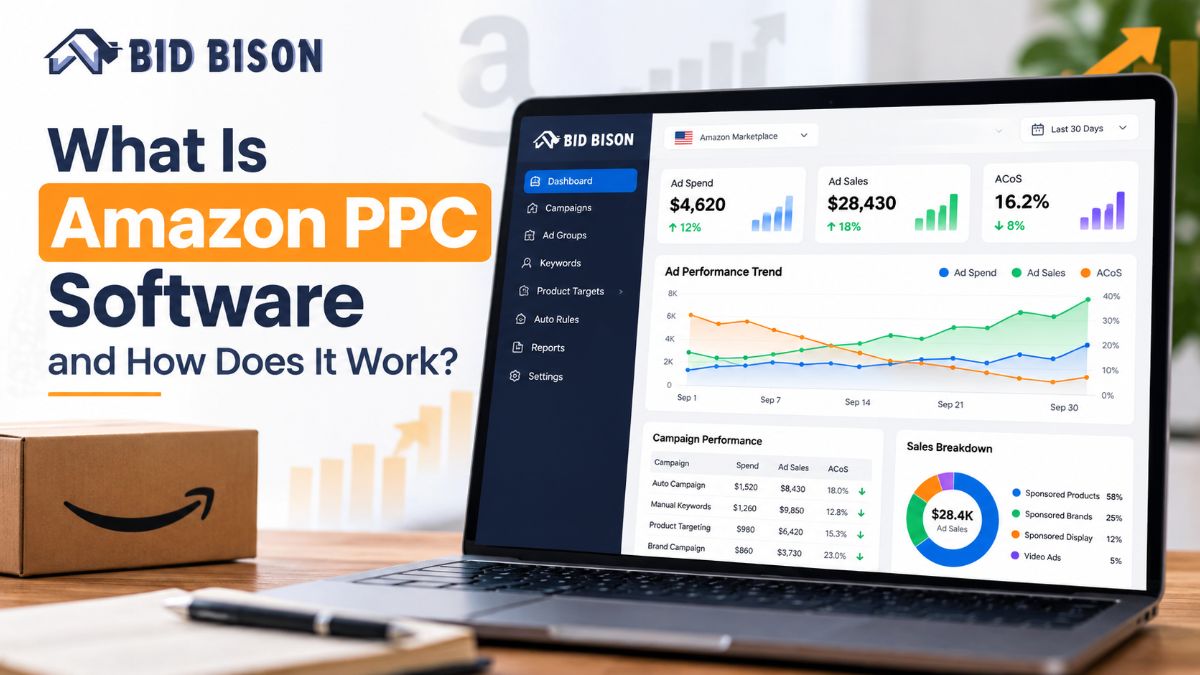
Amazon PPC software is a tool that connects to your Amazon Ads account and automates pay-per-click tasks such as bid changes, budget allocation, keyword harvesting, negative keywords, and reporting. It uses rules or AI to adjust campaigns around a target ACoS, so sellers spend less time on manual work and more on profitable growth.
What Is Amazon PPC Software?
Amazon PPC software is a third-party platform that manages your Amazon advertising campaigns through the Amazon Ads API. It handles tasks that normally take hours in Seller Central or the Amazon Ads console.
PPC stands for pay-per-click. You pay Amazon only when a shopper clicks your ad. Most sellers run Sponsored Products, Sponsored Brands, and Sponsored Display campaigns.
What Problem Does It Solve?
A single catalog can have hundreds of campaigns and thousands of keywords. Search terms, competition, and conversion rates change daily. Manual management cannot keep up.
PPC software checks performance continuously and makes small, frequent adjustments. See the real cost of manual Amazon PPC management for a closer look.
Where Does It Fit in Your Amazon Advertising Strategy?
Think of it as the execution layer. Your strategy covers products, margins, and goals. The software carries out that strategy at scale.
New to ad types? Read our guide to Sponsored Products, Brands, and Display budgets first.
How Does Amazon PPC Software Work?
Amazon PPC software connects to your ad account, collects performance data, compares it to your target ACoS, and applies changes to bids, budgets, and keywords. It repeats this cycle several times a day without manual input.
Step-by-Step: The PPC Automation Cycle
- Connect your account. You authorize the tool through Amazon's official Amazon Ads API. Your login details stay with Amazon.
- Set your goal. You enter a target ACoS (Advertising Cost of Sale), which is ad spend divided by ad-attributed sales. See how target ACoS automation works.
- Sync data. The software pulls impressions, clicks, spend, orders, and search term data.
- Analyze performance. It flags keywords and targets that overspend or underperform against your goal.
- Apply changes. Bids go up on profitable keywords and down on wasteful ones. Budgets shift toward campaigns that convert.
- Report results. You get dashboards and scheduled reports showing what changed and why.
Want the full walkthrough? Visit how BidBison works.
What Data Does the Software Use?
- Search term reports (what shoppers actually typed)
- Placement data (top of search vs product pages)
- Time-of-day and day-of-week performance
- Conversion rate and click-through rate by keyword
What Features Should Amazon PPC Automation Software Have?
Good Amazon PPC automation software should automate bids, budgets, keyword harvesting, negative keywords, dayparting, and reporting. It should also let you control the goal, usually a target ACoS, rather than hiding decisions inside a black box.
Core Features Checklist
- Bid automation: Raises or lowers bids by keyword or target based on your ACoS goal.
- Budget management: Moves daily budget to converting campaigns and away from weak ones.
- Keyword harvesting: Finds converting search terms in auto campaigns and moves them to manual campaigns. Learn about search term harvesting and Amazon keyword automation.
- Negative keyword automation: Blocks search terms that spend money without sales. Read the negative keywords guide.
- Dayparting: Adjusts bids by hour or day, so you spend more when shoppers buy. See dayparting and hourly bidding for Amazon ads.
- Reporting: Shows ACoS, TACoS, ROAS, and trends in one view.
- Alerts: Flags sudden spend spikes or drops. See Amazon PPC alerts.
Terms in Plain Words
- ACoS: Ad spend divided by ad sales. Lower means more efficient.
- TACoS: Ad spend divided by total sales, including organic.
- ROAS: Ad sales divided by ad spend. It is the inverse of ACoS.
- Dayparting: Scheduling bids by time of day.
For a deeper breakdown, read ACoS vs TACoS Amazon advertising metrics.
Rule-Based vs AI: Which Amazon PPC Software Is Better?
Rule-based tools execute instructions you write, such as "lower the bid 10% if ACoS exceeds 40%." Amazon PPC AI software learns from your performance data and adjusts automatically. AI suits large catalogs. Rules suit sellers who want tight manual control.
| Factor | Rule-Based Tools | AI-Driven Tools |
|---|---|---|
| Setup effort | High (you write the rules) | Lower (set a goal, review results) |
| Control | Very high | Moderate to high, depending on tool |
| Adapts to change | Only when you update rules | Continuously |
| Best for | Small catalogs, hands-on sellers | Large catalogs, agencies |
| Risk | Outdated rules waste spend | Needs a clear target to stay profitable |
Many sellers use a hybrid approach. AI handles daily optimization, and manual rules cover special cases like product launches. Compare both in AI vs rule-based Amazon PPC software, or learn the rule-based bidding setup. For the AI side, read the Amazon PPC AI software automation guide.
Why Use an Amazon PPC Management Tool?
An Amazon PPC management tool saves hours of manual work, reacts faster than a human can, and keeps spend tied to your profit goals. It also reduces human error, such as forgotten negative keywords or bids left unchanged for weeks.
Main Benefits
- Time saved: Bid and keyword updates run automatically.
- Faster reactions: Adjustments happen several times a day, not weekly.
- Consistent targeting: Every keyword is measured against the same ACoS goal.
- Scalability: Add products and campaigns without adding hours.
- Clear reporting: Clients and teams see results without building spreadsheets.
Who Benefits Most?
- Sellers who spend more time in ad reports than on products
- Brand owners who want predictable ad efficiency
- Agencies managing many accounts with limited staff
- PPC professionals who want automation to handle routine work so they can focus on strategy
Prefer hands-off? BidBison also offers a managed service.
How Does BidBison Automate Amazon PPC?
BidBison is Amazon PPC automation software that automates bids, budgets, keywords, dayparting, and reporting around your target ACoS. You set the goal once, and the platform adjusts campaigns to move toward it.
What BidBison Handles
- Bids: Adjusted against your target ACoS.
- Budgets: Directed toward campaigns that perform.
- Keywords: New converters are added, and wasteful terms are reduced or blocked.
- Dayparting: Spend is shifted toward hours that convert.
- Reporting: Performance is tracked in a single dashboard.
Explore everything on the BidBison features page, or read BidBison Amazon PPC software features and pricing.
Illustrative Example: Setting a Target ACoS
This is a simplified example, not a customer result.
A seller has a product with a 30% profit margin before ads. Break-even ACoS is therefore 30%. The seller sets a target ACoS of 25% to keep a profit buffer.
The software lowers bids on keywords running above 25% and raises bids on keywords converting below it. Over time, spend shifts toward terms that sell at a profitable rate.
Not sure how to find your number? Use the free ACoS calculator.
How Do You Choose the Right Amazon Ads Management Platform?
Choose an Amazon ads management platform by checking five things: automation depth, goal control, reporting clarity, support quality, and pricing that fits your ad spend. Always test with a trial before moving your full budget.
Selection Criteria
| Criteria | What to Look For |
|---|---|
| Automation | Bids, budgets, keywords, negatives, dayparting |
| Goal control | You can set and change target ACoS per campaign |
| Transparency | Change logs show what was changed and why |
| Reporting | ACoS, TACoS, ROAS, and trend views |
| Support | Real people, fast answers |
| Pricing | Clear tiers; compare against your monthly ad spend |
Questions to Ask Before You Buy
- Does it use the official Amazon Ads API?
- Can I override automation when needed?
- Does it support Sponsored Products, Brands, and Display?
- Can I export reports for clients or my team?
Want a side-by-side view? See the Amazon PPC software comparison 2026, our roundup of the best Amazon PPC software in 2026, or browse BidBison comparisons. To score tools yourself, use the 9-point Amazon PPC software checklist.
Pro Tips and Common Mistakes to Avoid
Most failures with Amazon PPC automation come from unclear goals, not bad software. Set a realistic target ACoS, give campaigns enough data, and review results weekly. Automation reduces manual work, but it still needs a strategy behind it.
Pro Tip
Calculate your break-even ACoS before you set any target. Break-even ACoS equals your profit margin before ad spend. Set your target below it, and the software has room to work profitably.
Common Mistakes
- Setting ACoS too low. An unrealistic target starves campaigns of impressions.
- Judging results too early. Low-volume products need more days of data.
- Ignoring launch needs. New products often need a higher ACoS temporarily. Follow the Amazon PPC new product launch framework.
- Skipping reviews. Check search term reports and change logs at least weekly.
- Running automation on poor listings. Weak images, price, or reviews will drag conversion regardless of bids.
- Mixing too many goals. Use separate campaigns for launch, defense, and profit.
Struggling with high spend? Read how to reduce ACoS without losing sales.
Conclusion
Amazon PPC software removes the repetitive work of managing bids, budgets, keywords, and reports while keeping spend tied to your target ACoS. The right tool protects margin and scales with your catalog.
Next step: See how BidBison automates your Amazon PPC around your target ACoS. Check pricing or contact the team for a demo.
Frequently asked questions
What is Amazon PPC software?
How does Amazon PPC software work?
Is Amazon PPC automation software worth it?
What is the difference between rule-based and AI Amazon PPC software?
Can Amazon PPC software replace a PPC manager or agency?
What features should an Amazon PPC management tool have?
Automation that explains every change.
Bids, budgets, keywords and dayparting around your target ACoS. 14-day free trial, credit card required.